
Zendesk free trial for ticket handoffs, AI review and support ownership
Zendesk free trial offers 14 days without a credit card to examine ticket ownership, handoffs and support workflows before choosing a paid service arrangement.
A small queue and a large support operation need different processes. Our managed services comparison offers adjacent responsibility questions; Zendesk still needs its own staffing, escalation rules and configuration, rather than assuming that buying software creates a working support procedure.
Give Zendesk free trial a defined service scenario 🎫
Select a representative support channel and a manageable set of requests. An incoming question, a billing issue and a request requiring escalation can expose different parts of the workflow. Use anonymized examples or test messages so the team can examine functionality without uploading unnecessary personal information during an exploratory evaluation.
During Zendesk free trial, define who initially reviews the queue and how responsibility changes after assignment. A ticket should have an owner and a clear next step. Otherwise, the trial can show attractive dashboards while leaving the most important operational question unanswered: who will make sure the customer actually receives help?
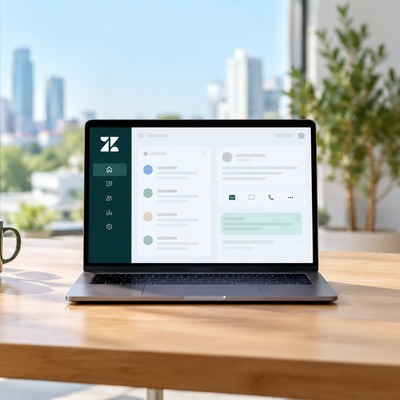
Agent handoffs reveal gaps during Zendesk free trial 🔎
Have one person start a request and another person continue it. Check whether the second agent can understand the history, status and promised action. Include an escalation so the team sees what information a specialist receives. Missing context can create repeated questions for the customer even if ticket routing works technically.
Ask the receiving agent to explain the next action without help from the person who created the record. This tests whether the workflow is understandable outside the trial organizer’s head. Retain any confusing steps and decide whether they require configuration, training or a different process before the company commits to a paid setup.
Evaluate assistance and automation with human review for Zendesk free trial 🤝
Zendesk’s trial page includes AI agents and Copilot for workflow evaluation. Inspect suggested replies against known test answers and verify human escalation. Our video-detection guide concerns another AI task; its findings cannot establish the accuracy or paid entitlements of Zendesk’s support features.
A published demonstration of a feature does not establish that every paid tier includes the same access or usage. Review the actual commercial scope before purchasing. Our license comparison provides adjacent context for separating a product’s capability from the subscription needed to use it regularly.
Checks for a realistic support evaluation 📋
A small test plan should cover both ordinary requests and cases needing review. Ask agents to complete the tasks themselves, then compare their notes with the manager’s requirements instead of relying only on a sales presentation.
- Arrival: confirm the test request appears in the intended queue.
- Ownership: assign a responsible agent and a clear status.
- Handoff: preserve context when another person takes over.
- Assistance: review suggested replies before trusting the outcome.
- Reporting: compare resolved-ticket records with the manager’s summary.
Compare the evaluated features with the paid scope 📊
A trial proves only what the team could test in that environment. It does not automatically establish the price, agent count, channel entitlement or AI usage that a later order will include. Keep a list of features actually used and ask the supplier to identify the paid configuration supporting those features.
For Zendesk free trial, the practical comparison should distinguish the evaluation period, the later subscription and the operating effort required. Staff time, setup and training are part of implementation even when no license fee is charged during testing. Do not count trial access as a long-term saving on the help desk budget.

Evidence for a support software decision 🧮
| Decision area | Trial evidence to collect | Purchase detail to confirm |
|---|---|---|
| Ticket workflow | Requests completed end to end | Included channels and tools |
| Agent work | Assignment and handoff tested | Required paid users |
| AI assistance | Replies reviewed against test cases | Feature entitlement and usage |
| Reporting | Summary reconciled with tickets | Required reports and plan |
| Administration | Owner can manage the workspace | Roles, terms and renewal |
Use the table as a record of what the evaluation established and what remains commercial. A feature can be useful but require a different package or a usage charge.
Export required service data before the trial ends if the team will not purchase a subscription; temporary access does not promise indefinite data retention. Ask for the complete selected scope so procurement can compare it with the trial results rather than making assumptions from the product’s marketing description.
Make the support owner responsible for the decision ✅
Finish Zendesk free trial with the person who will own the support workflow. Compare completed tickets, configuration gaps and the proposed subscription. Resolve unclear escalation ownership before expecting software to create consistent service, and assign responsibility for reviewing automated responses.
Retain the workflow notes and confirm the paid features, agent count, channels and usage limits in writing. If the team will not continue, arrange the required data export before the trial ends. A clear decision record supports later changes without losing accountability for customer requests.
FAQ ❓
1. How long is the evaluation period?
- The published free-trial offer describes 14 days.
2. Is a credit card requested to start?
- The published offer says no credit card is required.
3. Is the trial a permanently free product?
- No. Temporary evaluation access should be distinguished from the later paid subscription.
4. Should I upload the whole customer history immediately?
- Begin with a controlled representative sample and examine permissions and data handling before a broader migration.
5. Where can I confirm the current trial offer?
- Use the supplier’s official trial page and verify the terms shown for your region and selected product.
